How to search your own TikTok videos
There is a difference between finding a video and finding your video – and TikTok is built for the first one.
The documentation on how TikTok recommends content is clear about what the system optimises for: surfacing videos you are likely to want to watch, based on what you interact with. That is a recommendation engine. It is very good, it is just aimed somewhere else entirely.
Searching your own archive is a retrieval problem. You already know the video exists (you made it) and you need that one specific post with that one specific thing in it. Relevance ranking does not help. Only an index of your own content does.
What you have without any extra tool
Captions and hashtags, which are searchable text because you typed them. If you were disciplined about writing real captions, congratulations: you built yourself half an index without realising.
The chronological grid, which is fine for recent posts and useless past about a year.
Your analytics, which can tell you when something did well and give you a date to scroll to.
That is the honest list. TikTok’s current documented tools do not describe a full-transcript search across everything you have published, and I would rather say that carefully than make a claim about the platform that stops being true after the next update.
The part nobody indexes
Everything you said out loud. Every number you quoted, every name you mentioned, every line that landed. It is in the audio and nowhere else – and audio is not text until something turns it into text.
Same for words on screen: title cards, captions you burned in, a receipt you held up to the camera. Those are pixels, not searchable text.
What FindMyTok does about it
It builds a local index of your own published videos. Your iPhone transcribes what was said and, if you want, reads the text visible in the frames, and both go into a searchable index that lives on your device. Then you search the way you actually remember things: by the phrase, not the date.
In practice you can:
- Choose where to look: in what was said, what appeared on screen, or both.
- Search the way you remember: the exact phrase, all the words anywhere in the post, or just the start of a word.
- Filter by period, when you roughly know when it was.
- See the exact second each phrase appears and open the post in TikTok with one tap.
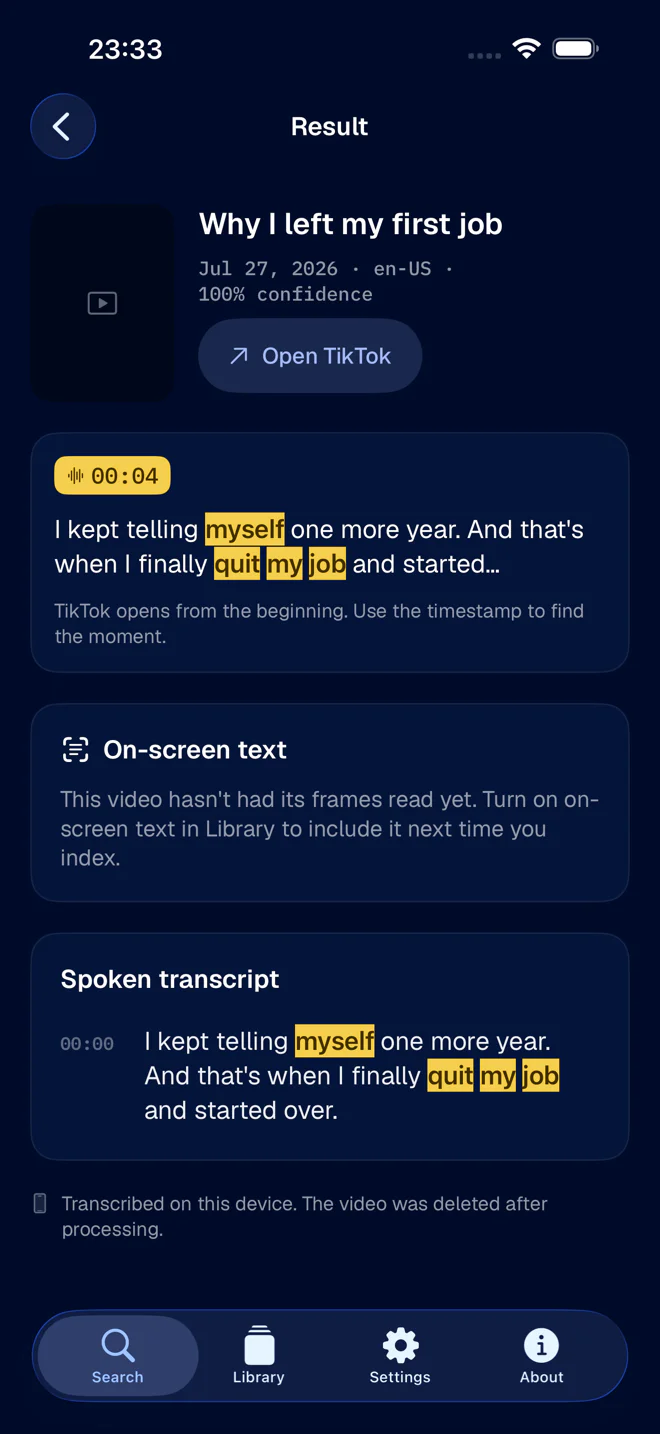
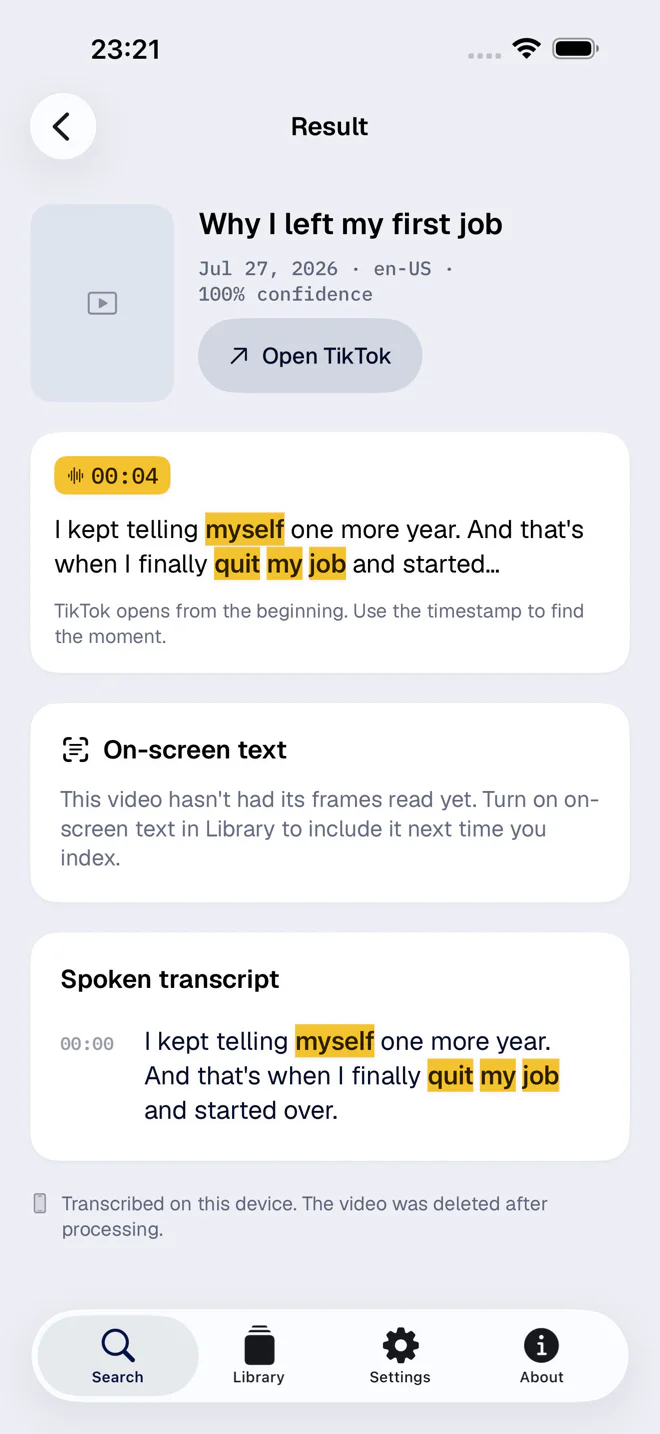
A result gives you the words, the post they came from, and the second they were said. That last part matters more than it sounds: finding the video is only useful if you can then find the moment.
The processing happens on the phone rather than on a server. There is a longer explanation of what that does (and does not) mean in on-device transcription and what it actually means.
Is this only for creators?
No, though creators feel the pain first because they have the most posts. Anyone with a few hundred videos and three years of history hits the same wall: the archive is big enough to be worth searching, and there is no search.
If your archive is genuinely large, turning years of TikToks into a searchable archive is the version of this article written for people who post for a living.